

Earlier Versions
| Name | Size | Uploaded | Game Version | Downloads | |
| SpaceX-V2.zip release | 587.09 KB | Sep 16, 2016 | 1.1.3 | 831 |  Download Download |
| SpaceX-Stock-1-0-5.zip release | 78.09 KB | Feb 14, 2016 | 1.0.5 +1 | 473 | Download |
| SpaceX-Stock.zip release | 69.69 KB | Jan 28, 2016 | 1.0.4 | 237 | Download |
Screenshots
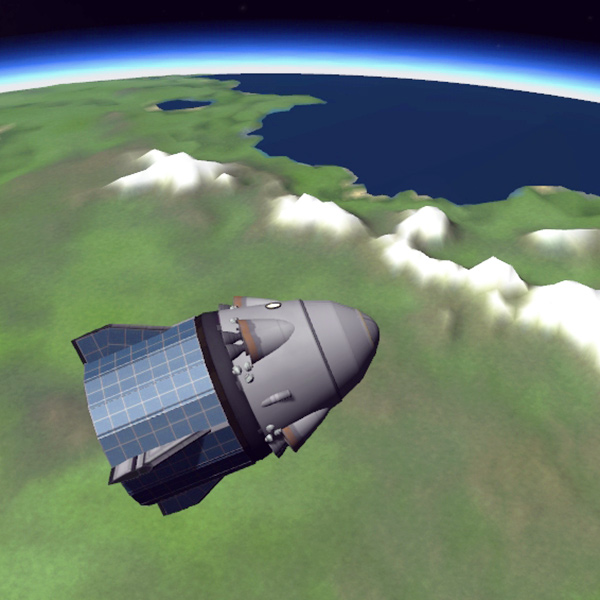
Description


EN
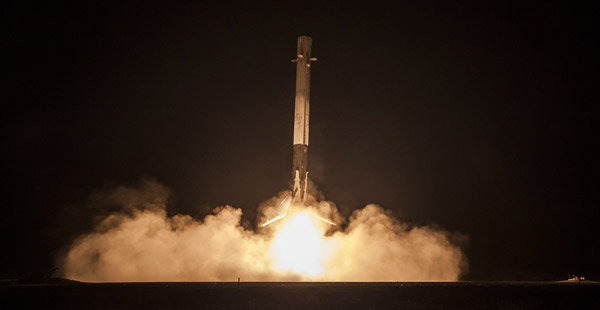
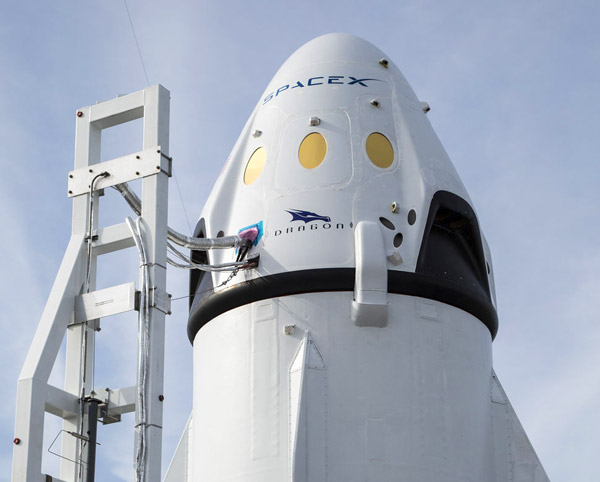
Landing of Falcon 9 first stage and Dragon V2 capsule !
Detailed models
Tested
Content
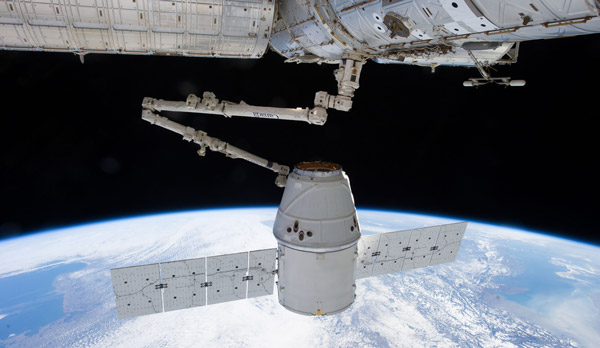
– Falcon 9 V1.1 rocket + Dragon cargo
– Falcon 9 V1.1 rocket + Dragon V2 capsule
– Landing legs for heavy vehicles mod
– Space X Flag
User manual
1st stage landing :
1- Clic on "control from here" on the computer on the top of the 1st stage
2- Decouple the 1st stage
3- Extinguish throttle, right clic on the 5 bottom tanks and activate Liquid Fuel
4- Activate airbrakes (brake fonction)
5- Turn the stage and aim the ground in the artificial horizon
6- Activate throttle to slow down to 100 m/s
7- Return to normal direction
8- Activate automatic SAS retrograde
9- At -700 m/s activate throttle to -500 m/s
10- Activate landing gear
11- At an altitude of 4000 m activate throttle to -90 m/s
12- Maintain vertical speed bettween -5 and -10 m/s with throttle
Dragon V2 landing :
1- Activate landing gear
2- At an altitude 1000 m from the ground activate full throttle
3- Maintain vertical speed bettween -5 and -10 m/s with throttle
Custom buttons
– Abort : Abort (Dragon V2)
– 1 : Toggle engines 1, 3, 7, 9
– 2 : Toggle engines 2, 4, 6, 8
– 3 : Deploy solar panels (Dragon)
– 4 : Cut drogue chutes and deploy main chutes
FR
Atterrissage du 1er étage et de la capsule Dragon V2 !
Modèles détaillés
Testé
Contenu
– La fusée Falcon 9 V1.1 + le cargo Dragon
– La fusée Falcon 9 V1.1 + la capsule Dragon V2
– Le mod Jambes d'atterrissage pour véhicules lourds
– Le drapeau Space X
Manuel d’utilisation
Atterrissage du 1er étage :
1- Cliquer sur "control from here" sur l'ordinateur au sommet du 1er étage
2- Découplez le 1er étage
3- Éteignez les gaz, cliquer-droit sur les 5 réservoirs du bas et activer le carburant (Liquid Fuel)
4- Activer les aérofreins (fonction brakes)
5- Tournez l'étage et visez le sol dans l’horizon artificiel
6- Activez les gaz pour ralentir à 100 m/s
7- Retournez dans le bon sens
8- Activer le SAS rétrograde automatique
9- À -700 m/s activer les gaz jusqu'à -500 m/s
10- Activer les trains d'atterrissage (landing gear)
11- À 4000 m d'altitude activer les gaz jusqu'à -90 m/s
12- Maintenir la vitesse verticale entre -5 et -10 m/s avec la manette des gaz
Atterrissage de la capsule Dragon V2 :
1- Activer les trains d'atterrissage (landing gear)
2- À 1000 m du sol activer les gaz
3- Maintenir la vitesse verticale entre -5 et -10 m/s avec la manette des gaz
Boutons custom
– Abort : Manœuvre de sauvetage (Dragon V2)
– 1 : Éteindre moteurs 1, 3, 7, 9
– 2 : Éteindre moteurs 2, 4, 6, 8
– 3 : Déployer les panneaux solaires (Dragon)
– 4 : Larguer les parachutes stabilisateurs et déployer les parachutes principaux
Comments and bug reports are well appreciated !
My other projects
Mod :
Size 4 rocket parts, Landing legs
Realistic american spacecrafts :
Mercury, Gemini, Apollo, Skylab, Viking, Space Shuttle, Boeing X37, Space X Dragon, New Shepard, Orion, Lynx
Realistic european spacecrafts :
Ariane 5, Spica
Realistic russian spacecrafts :
Sputnik, Vostok, Soyuz, Lunokhod, Saliut, Mir
Realistic planes :
X15, Blackbird, Lunar Landing Training


![[STOCK] SU-27 REPLICA (1.0 Update)](https://kspmod.com/wp-content/themes/template/img/scrs/stock-su-27-replica-10-update/screenshots/stock-su-27-replica-10-update-scr-1-mini.png)




Add a comment